

MCP / API Tools
YouTube Research Data, Built for Your AI Agent
Skip the scraping. Query Nexlev's outlier, channel, and niche intelligence directly inside Claude, ChatGPT, or your own workflow.
The Problem
Stop building data pipelines just to research YouTube.
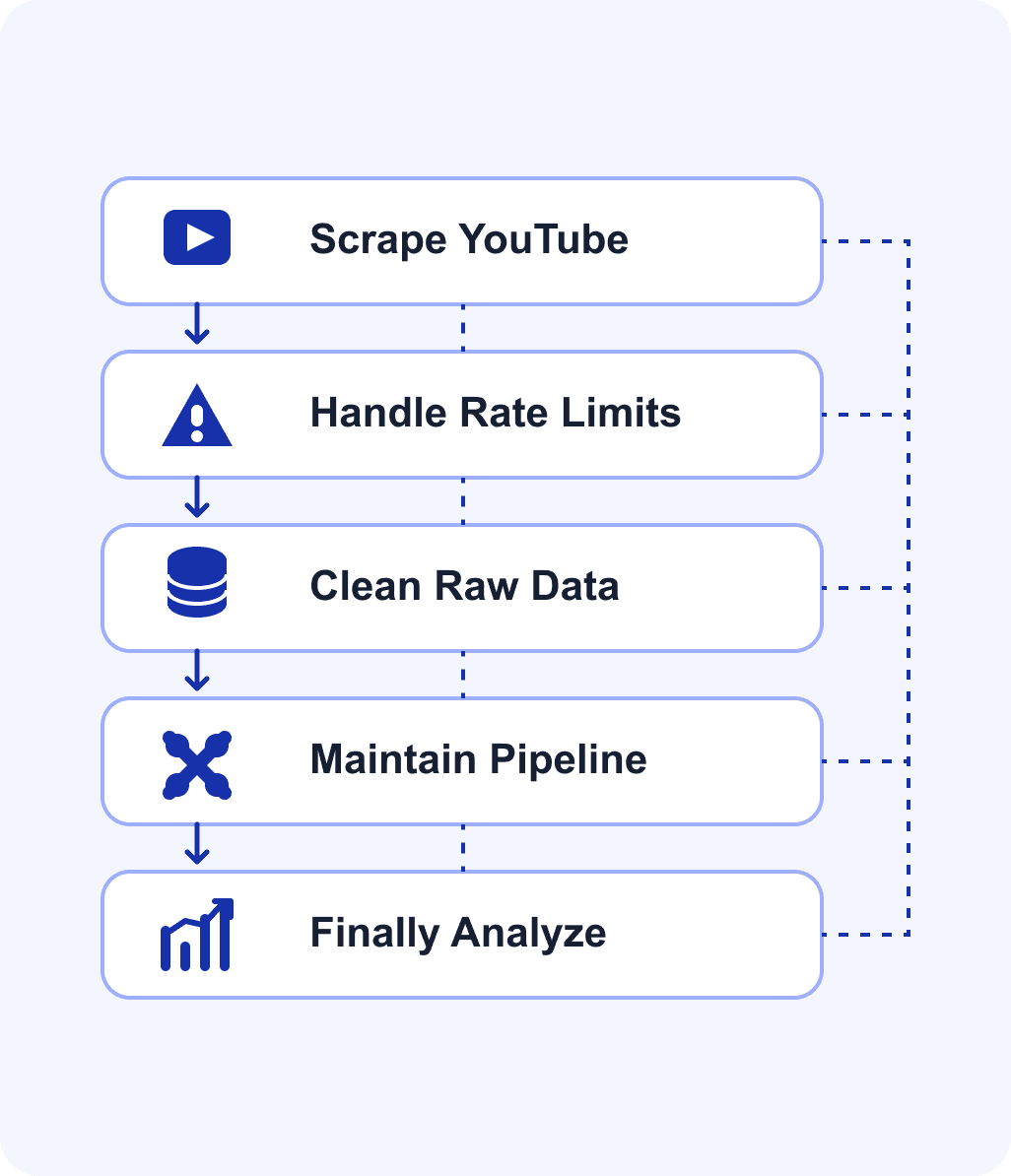
Building YouTube research into an AI workflow from scratch means scraping pages, handling rate limits, and maintaining a pipeline just to get raw data - before any actual analysis happens.
Most teams spend more time on data plumbing than on the insight they were actually trying to generate.
What's available today
Research-ready YouTube data for your AI workflow.
Turn thousands of videos into a focused research view.

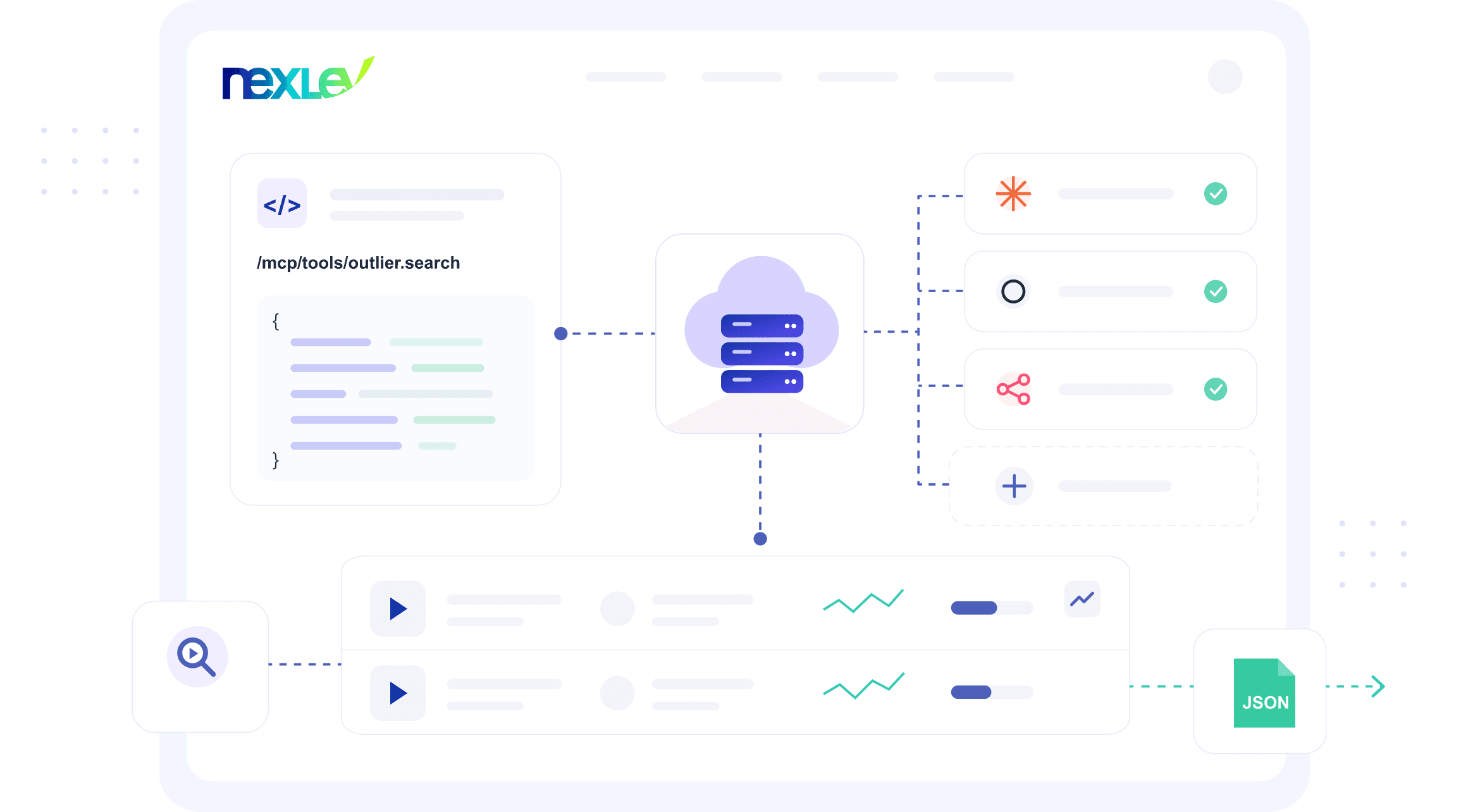
Query Outlier Data Directly
Query outlier videos and channels in a single tool call.

Pull Niche & Market Signals
Pull niche and market-saturation signals into your workflow or agent.

Connect to Your Existing AI Stack
Connect through Claude, ChatGPT, or n8n today.
The toolkit
60+ tools. One conversation.
Your strategist has access to all of these. You just ask questions — it picks the right tool automatically.
Rate limits
Per tool, per user — resets every 24 hours
| Tool & description | Free | Lite | Pro |
|---|---|---|---|
Channel discovery 9 tools | |||
Long-form channel searchFind channels by niche, size, growth, language, format, and monetization status | 10 | 150 | 300 |
Short-form channel searchDiscover Shorts creators by category, performance, and outlier score | 10 | 150 | 300 |
Similar channelsFind channels similar to any channel by content and audience overlap | 5 | 20 | 30 |
Similar channels statusCheck the status of an in-progress similar channels job | 5 | 20 | 30 |
Latest discovered faceless nichesBrowse the newest faceless niches Nexlev has surfaced | 20 | 150 | 300 |
Faceless outlier finderDiscover faceless channels overperforming their niche average | 20 | 150 | 300 |
Faceless channel checkDetect whether any channel is faceless or AI-generated | 5 | 100 | 300 |
Channel resolverLook up any YouTube channel by URL, handle, or name | 10 | 100 | 500 |
Niche channel searchSemantic search for channels by topic, theme, or keyword | 10 | 100 | 200 |
Video intelligence 12 tools | |||
Visual search 1 tool | |||
Channel analytics 13 tools | |||
Monetization 3 tools | |||
Niche intelligence 5 tools | |||
Personal channel analytics 14 tools | |||
Swipefile 8 tools | |||
Networks & CMS 2 tools | |||
Thumbnail Lab 2 tools | |||
Promotions & sponsorships 2 tools | |||
Visual video analysis 3 tools | |||
Lite and Premium share identical rate limits across all tools. If you're on the Premium plan, the numbers shown in the Lite column apply to you too.
All limits are per user, per 24-hour window.
Upgrade to ProHow it works
From AI prompt to structured data.
Step 1
Connect Your AI Client
Connect your AI client (Claude, ChatGPT, n8n, or your own MCP-compatible tool).

Step 2
Call a Nexlev Tool
Call a Nexlev tool with your query — a channel, a niche, a keyword.
Step 3
Get Structured Data Back
Get structured data back, ready to use in your workflow.
Quick setup
30 seconds. That's it.
No installs. No code. No API keys. Just connect and start asking.
Pro tip: Claude has significantly better tool-calling accuracy than ChatGPT — we recommend starting there.
Claude
RecommendedVia Claude's custom connector
- 1
Sign up free at dashboard.nexlev.io
- 2
Go to claude.ai → Settings → Connectors → Add custom connector
- 3
Enter these details:
Name: NexlevServer URL: https://prod.dashboard.nexlev.io/api/claude-mcpAuthentication: OAuth - 4
After adding the connector, Claude will redirect you to sign in with your Nexlev account. Click Approve to connect.
- 5
Go to claude.ai → Settings → Connectors, find Nexlev, and click Configure. Then set Tool permissions to Always allow — this lets Claude use your Nexlev tools automatically without asking you every time.
No API key needed. Claude.ai uses OAuth to connect directly to your Nexlev account. Works on web and mobile — your tools sync across all devices.
ChatGPT
Via ChatGPT custom plugin app (OAuth)
- 1
Sign up free at dashboard.nexlev.io
- 2
Go to chatgpt.com → Settings → Plugins → Developer mode and toggle on Developer mode
- 3
Go to Settings → Plugins → Browse plugins and click the + icon
- 4
Enter these details:
Name: NexlevMCP Server URL: https://prod.dashboard.nexlev.io/api/mcpAuthentication: OAuth - 5
Tick “I understand and want to continue”, then click Create. ChatGPT will auto-discover the OAuth settings — no Client ID or secret needed.
When you first use a Nexlev tool, ChatGPT will redirect you to sign in with your Nexlev account. Click Approve to connect.
- 6
After you approve, open Settings → Plugins, select Nexlev, and in the Information section click Refresh. This syncs your OAuth connection and loads Nexlev's available actions in ChatGPT.
No API key needed. ChatGPT uses OAuth to connect directly to your Nexlev account. You can use the same Nexlev account across both ChatGPT and Claude — each gets its own connection.
Using Claude Code CLI, Codex CLI, or OpenClaw? Full setup guides with commands, auth steps, and troubleshooting are in the docs.
View full docsSee it in action
Ask for research. Get structured data back.
FAQ
Frequently asked questions
Give your AI agent real YouTube research data.


Packages
All the tools you need
Every tool in one dashboard. Pick the package that fits how you work.
Nexlev Lite
What's included
- Chrome Extension

- Nexlev MCP

Supercharge your browser with 40+ AI-powered tools. Research faster, create smarter, and stay ahead of every competitor.
Advantages

40+ premium Chrome Extension tools
AI Thumbnail Generator
Sponsorship Analysis
Real-time Channel Tracker
Swipe File & Channel Analytics
60+ MCP AI ToolsLite Quota
Nexlev Pro
What's included
- Chrome Extension
- Niche Finder

- Nexlev MCP
- Nexlev API

The complete faceless creator stack — Chrome Extension, Niche Finder, N8N automation & 60+ MCP AI tools. Find your winning niche & build it.
Advantages
All Lite features included
Niche Finder150M+ Channels Analyzed
AI Niche Finder & RPM Predictor
60+ MCP AI ToolsUp to 5X of Lite Quota
Real-time Channels & Faceless Outliers
N8N for YouTube Automation
Nexlev API Access200 requests/month
N8N Pro
What's included
- Nexlev API
Get access to Nexlev API with 5,000 API usage quota to power your N8N YouTube workflows.
Advantages
Nexlev API Access5,000 requests/month
N8N YouTube WorkflowsTriggered via API