
Grow Faster Using Smart YouTube Info Cards That Work in 2026
One of the most frustrating parts of YouTube is putting hours into a video and then watching it barely get any views. It feels like the algorithm is ignoring you, even when you know the content is good. This happens a lot in YouTube Automation too. people assume the system will magically push their videos, but it doesn’t work like that. If viewers are dropping off early or not clicking on your other videos, YouTube has no reason to promote your content, and that’s where most creators get stuck.
The good news is you can fix this without needing more equipment, editing skills, or extra uploads. One of the simplest ways to boost your engagement is by optimizing your videos with YouTube cards. These tiny pop-ups help you guide viewers to more of your content, keep them watching longer, and turn one view into multiple views. When used properly, cards quietly do a lot of the heavy lifting for you. increasing watch time, keeping people on your channel, and giving the algorithm the exact signals it wants to see.
What Are YouTube Cards?
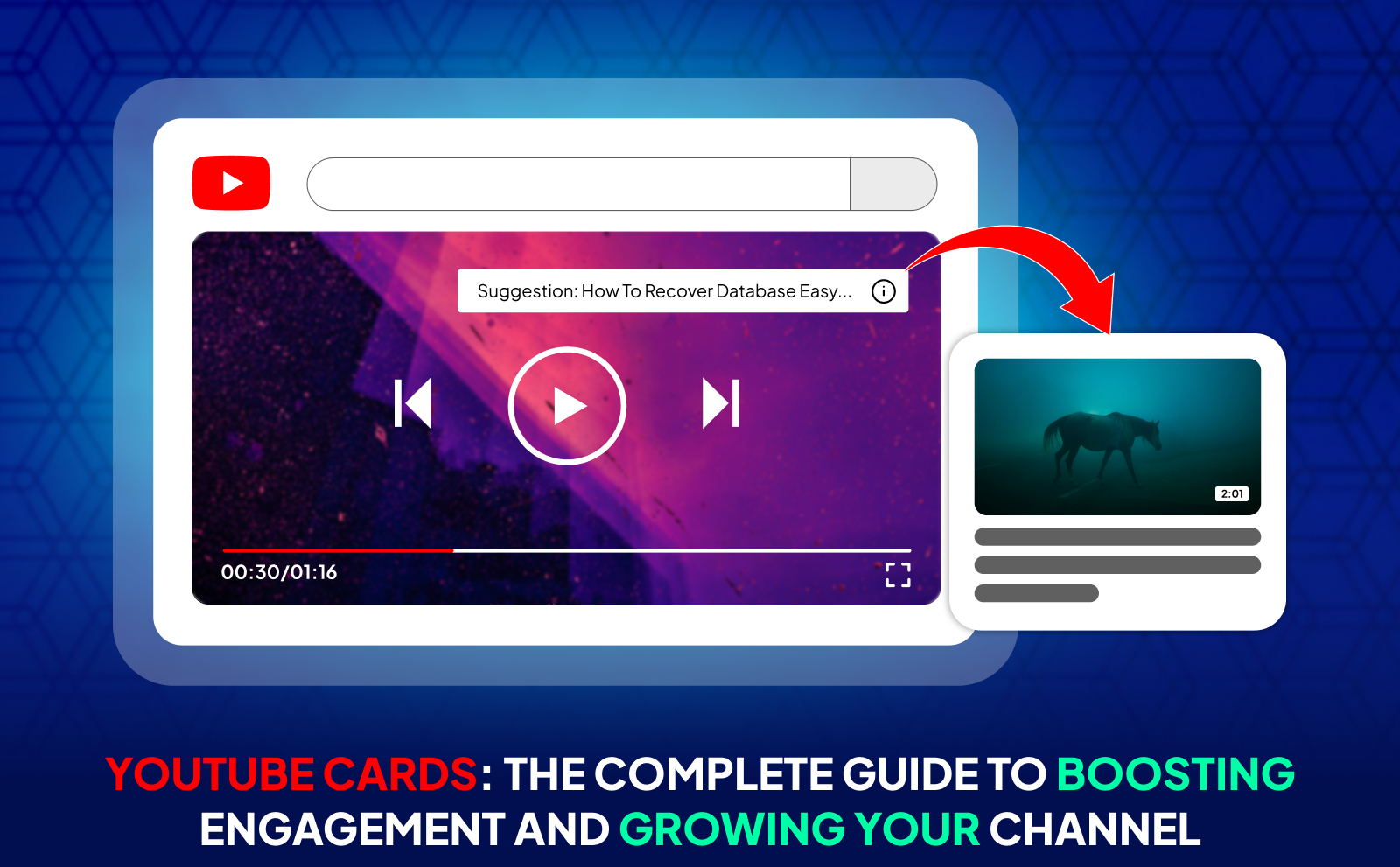
YouTube cards are small, clickable pop-ups that appear in the corner of your video and help viewers take action without leaving what they’re watching. Think of them as little helpers that guide your audience toward something you want them to see: another video, a playlist, a poll, a link, or even a channel. They’re not big or annoying; they’re designed to be subtle so viewers don’t feel interrupted. But when someone is curious, they can click and instantly get more relevant content.
What makes YouTube cards special is that you can place them at the exact moment your viewer is most interested. For example, if you’re mentioning a previous video or teasing a topic you covered earlier, you can drop a card right there so people naturally check it out. It’s one of the easiest tools to keep viewers watching your content longer without lifting any extra weight. They basically turn a single video into a gateway to the rest of your channel.
Info Cards On YouTube Vs Traditional Annotations
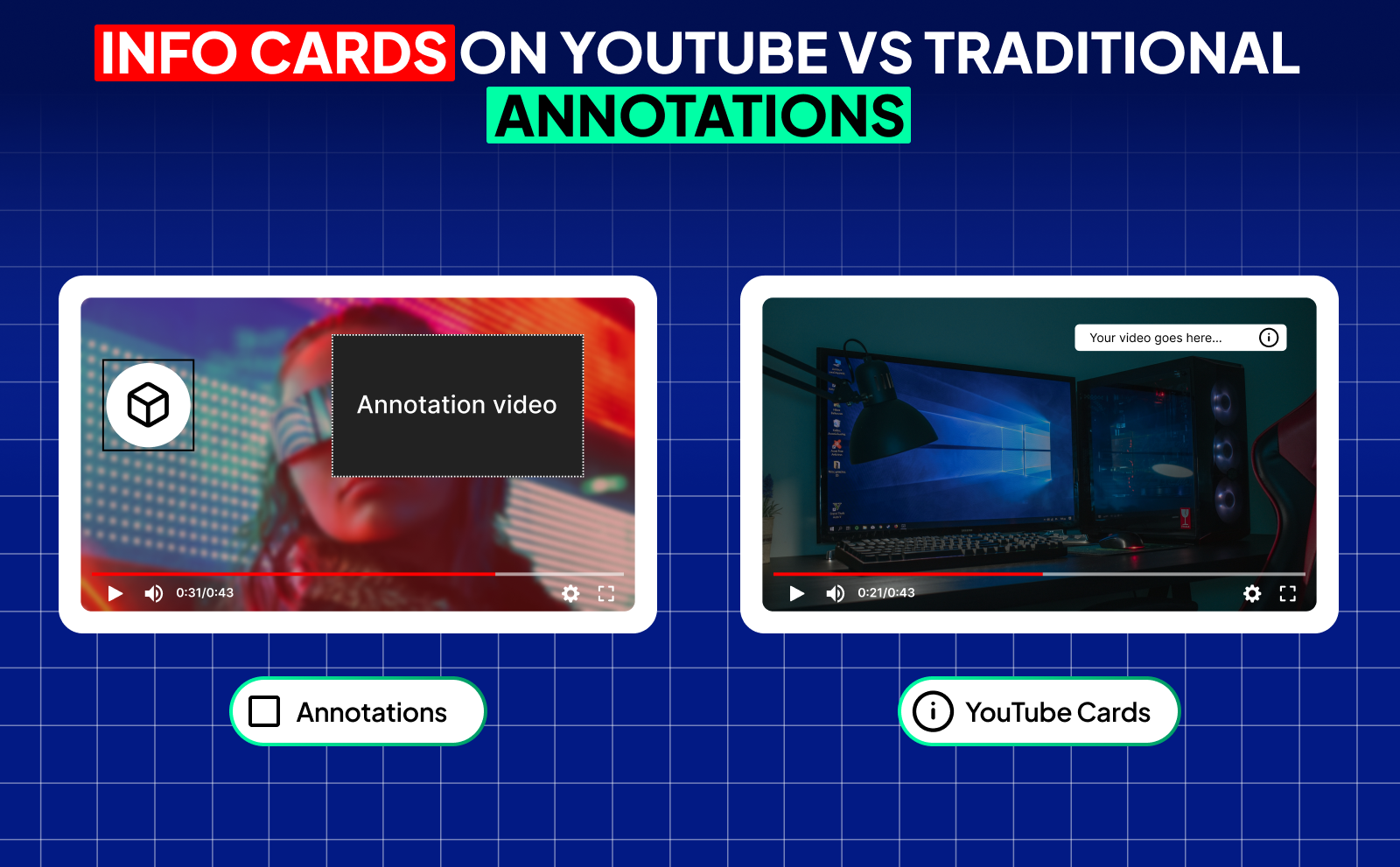
Traditional annotations used to be those big, ugly text boxes YouTube creators placed all over the screen. They were distracting, they didn’t work on mobile, and honestly, they just made videos look messy. Info cards came in as the clean and modern replacement. They’re mobile-friendly, they don’t cover half the screen, and they blend in with YouTube’s clean design. Instead of feeling like you’re spamming links at your viewers, cards feel natural and actually improve the viewing experience.
Another huge difference is how smart info cards are. YouTube gives you analytics on them so you can see how many people clicked each card and when. Annotations never gave this kind of insight, and since most viewers today are on mobile, annotations were completely useless. Cards solved all of that. They work across all devices, look professional, and give you data to make better decisions. In short: annotations were a loud billboard; info cards are a clean, interactive upgrade.
Why YouTube Cards Matter For Channel Growth?
Cards directly help your watch time, session time, and overall viewer flow. and those are three things YouTube cares about the most when deciding who to push. If someone clicks a card and keeps watching your content, YouTube sees that as a strong signal that your channel gives viewers what they want. The longer viewers stay inside your content ecosystem, the more likely the algorithm is to recommend you. So a single card placed at the right time can literally boost your channel’s performance.
They also help you turn “almost lost” viewers into “saved” viewers. Instead of letting someone drift away or close the app, a well-placed card gives them something else to watch that’s directly related to what they’re already interested in. It’s like catching them right before they leave. Over time, this adds up: more views, more watch time, more loyal viewers, and ultimately more growth. Cards are small, but their long-term impact is massive.
Different Types Of YouTube Cards You Can Use

YouTube gives you a few types of cards, and each one has a different purpose. The nice thing is you don’t have to use all of them. just the ones that fit the moment in your video. You can send viewers to another video, promote a playlist, highlight a channel, link to a website, run a poll, or even push your merch. These cards are small tools that help you guide your audience wherever you want them to go, without forcing them or interrupting their experience.
Each card type works best in different situations. Video and playlist cards are great for boosting watch time, while channel cards help with collaborations. Link cards support your website, merch, or landing pages, but only if you meet YouTube’s requirements for YPP. And poll cards are amazing for increasing engagement with just one click. Knowing when to use each one is what separates average creators from creators who make the most out of their YouTube videos.
Video And Playlist Cards
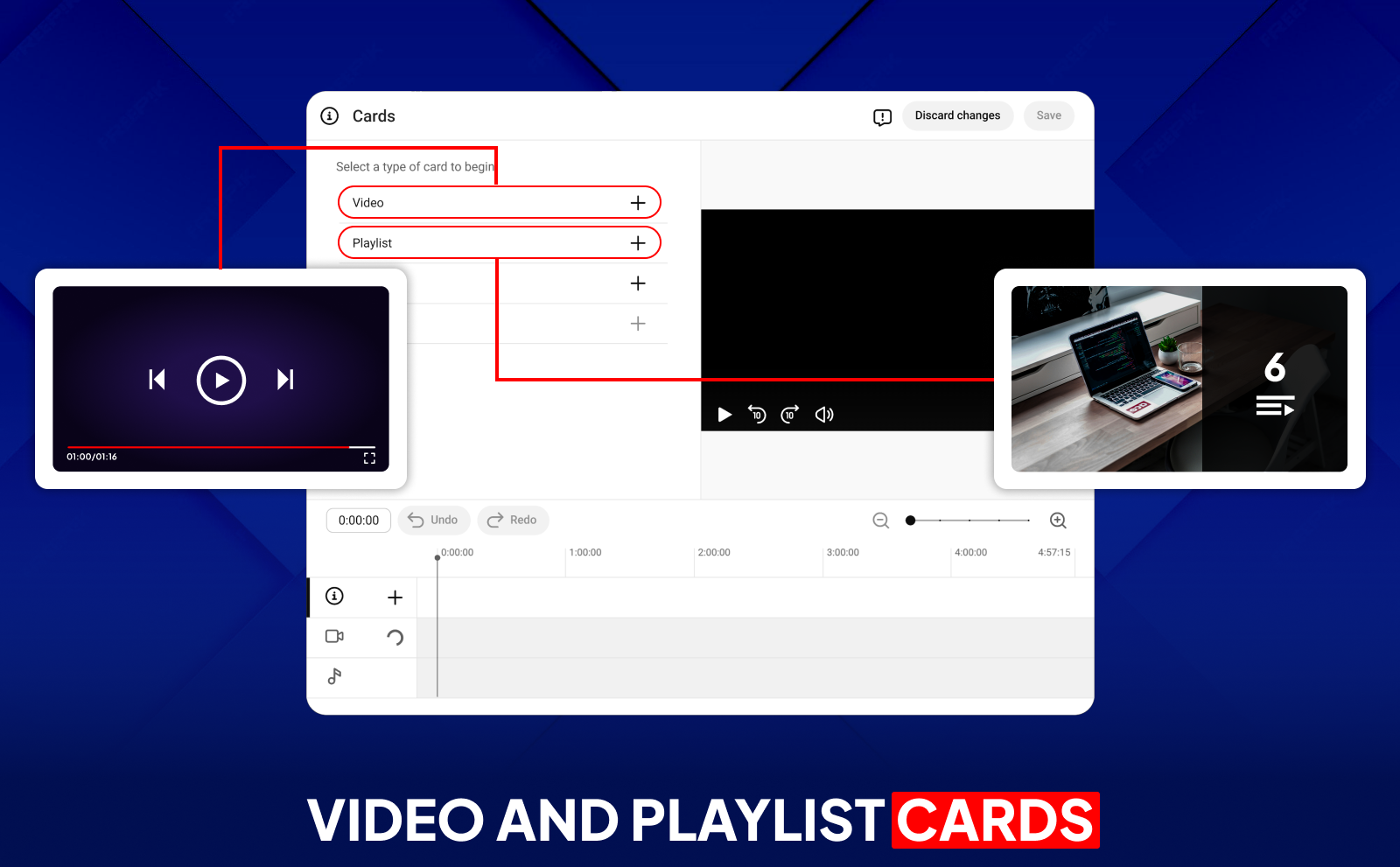
Video cards are perfect when you want viewers to continue watching content related to what they’re already seeing. If you’re talking about a topic you went deeper on in another upload, dropping a video card at that exact moment creates a natural moment for viewers to check that video out. It’s one of the easiest ways to keep people watching and raise your watch time without doing any extra editing or recording.
Playlist cards are even more powerful because they don’t just push a single video, they guide viewers into a whole series. If your channel has themed content, tutorials, or multi-part videos, playlist cards help bundle them together. Once someone enters a playlist, YouTube keeps auto-playing everything, which means more watch time for you. It’s basically turning one click into a long viewing session, which is exactly what the algorithm loves.
Channel Cards For Collaborations And Promotions
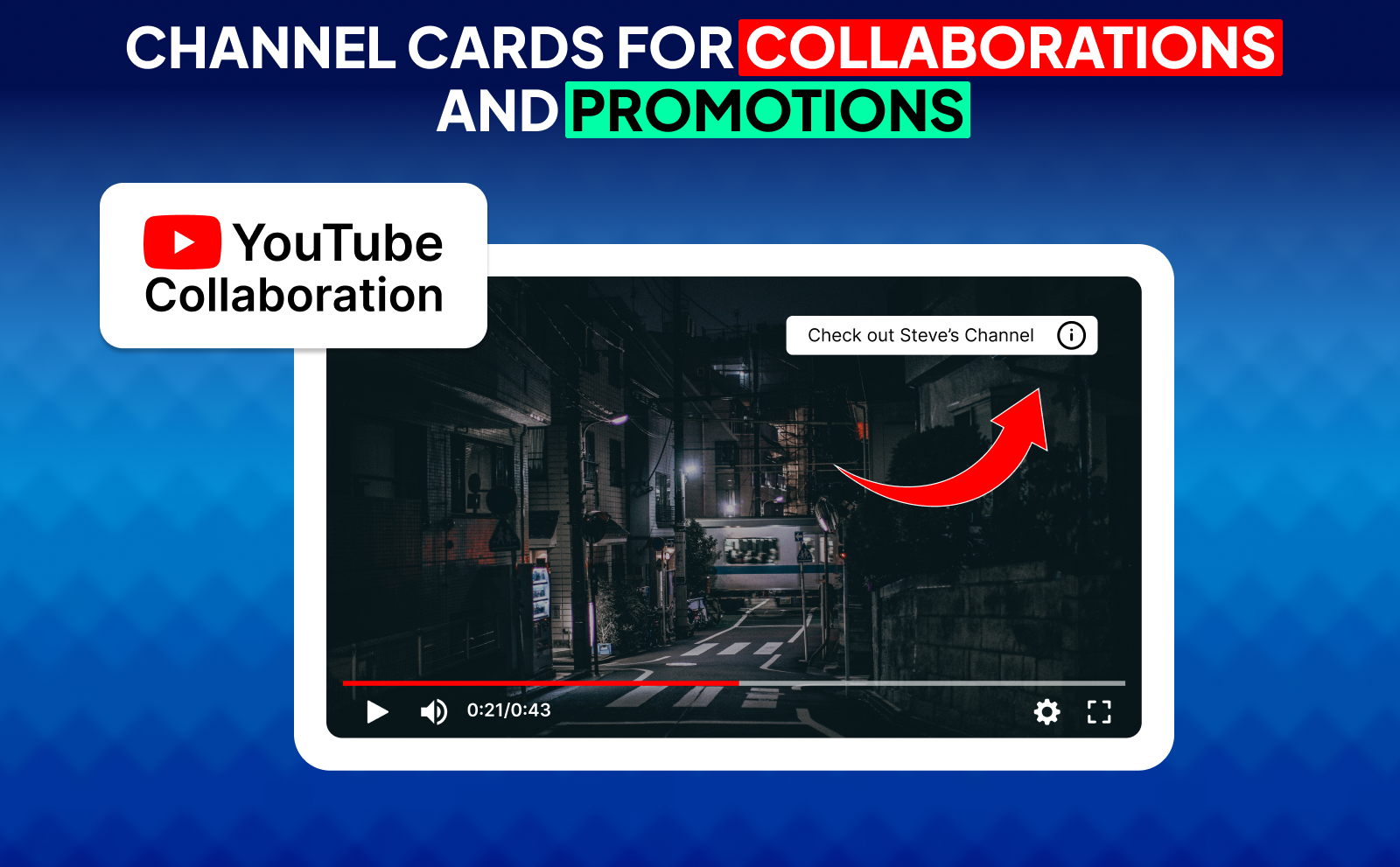
Channel cards are a clean way to highlight another creator you’re working with. Instead of telling people, “Go search their channel,” you make the process simple. one click and they’re on the channel page. This is great for collaborations, shoutouts, or when someone appears in your video. It makes the collab feel more connected and helps viewers explore more content from both sides.
They’re also helpful when you want to recommend smaller channels or build a community. If your niche has creators you support, channel cards help share traffic in a natural way. You’re not forcing viewers to leave your video. you’re giving them an option to discover someone else at the right moment. And creators appreciate when you send them viewers, which can also lead to more partnerships in the future.
Link Cards For External Websites And Merchandise
Link cards are the most powerful type when you want viewers to take action outside of YouTube. Whether you’re selling merch, pushing a landing page, or sending people to your website, link cards place the call-to-action right inside your video. Instead of dropping a link only in the description, you’re putting it exactly where viewers see it. at the moment they’re most interested.
Just keep in mind that link cards require your channel to be in the YouTube Partner Program or your website to be approved. But once you’re eligible, they change the game. You can promote products, email lists, digital downloads, or anything you want to monetize. It’s one of the easiest ways to turn views into actual income.
Poll Cards For Audience Engagement
Poll cards are one of the simplest ways to get your audience to interact with your video. They let you ask quick questions and get instant answers from viewers. These polls feel fun, lightweight, and effortless, which is why people click them so often. You can use them to get opinions, test ideas, or understand what your audience wants next.
What makes poll cards powerful is how they increase your audience’s engagement. When viewers interact with the poll, it sends a signal to YouTube that people are enjoying your video. That alone can help your video get pushed out more. Plus, the responses you collect can guide your future content so you're always making videos your audience actually cares about.
How NexLev Could Help You 3X Your Views Without Doing Any More Work
Nexlev gives you access to insights that most creators don’t even know exist, which instantly puts you ahead. Instead of blindly trying new ideas or hoping the algorithm picks you up, you get real data that shows what’s already working across YouTube. When you base your next upload on proven demand instead of guessing, your videos naturally get more clicks, more watch time, and more views because you’re creating content people are already searching for without just relying on YouTube SEO tools.
But the real magic is how Nexlev helps you work smarter, not harder. It shows you what topics are rising, what niches still have room, and what competitors are doing to grow, all without you spending hours researching. You upload the same amount as before, but every video hits harder because you’re choosing ideas backed by numbers. That’s how your views increase without you adding more work to your plate.
The Nexlev Niche Finder
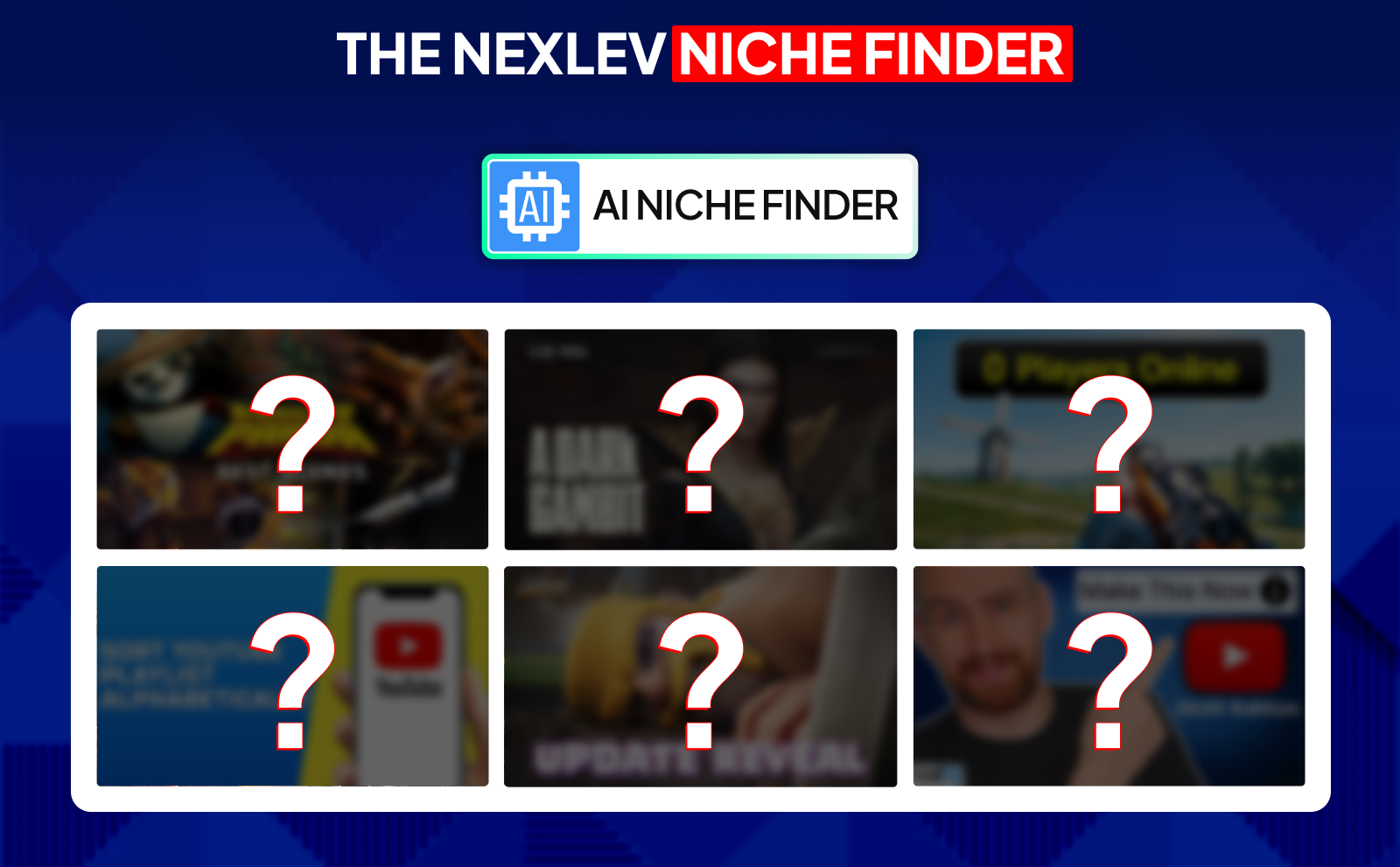
The Nexlev Niche Finder is easily one of the fastest ways to discover niches with real potential. Instead of scrolling endlessly or trying to guess what’s trending, you can dig through thousands of channels and filter everything by views, earnings, upload frequency, monetization status, and more. It shows you niches that are heating up before everyone else finds them, which means you’re always early.
What makes it even better is how specific the data gets. You can check how much a channel makes, how consistent it is, how loyal the audience is, and whether the niche is worth entering. This saves you months of testing ideas that would’ve died anyway. With the Niche Finder, you only focus on niches that have both demand and income potential, giving you the best shot at growing fast.
The Nexlev Course
The Nexlev course is basically a full blueprint for anyone who wants to build successful faceless channels without wasting years trying random strategies. It’s created by someone who has already grown multiple channels to millions of subscribers, so everything you learn is based on real experience, not theories or recycled bs advice. You’re shown how to pick profitable niches, how to structure videos, and how to build systems that let your channel grow consistently.
What makes the course stand out is how practical it is. Instead of just telling you what to do, it walks you through every step with clear examples and proven methods. You learn how to avoid beginner mistakes, how to scale once you start seeing results, and how to turn a faceless channel into a long-term business. Whether you’re completely new or already experienced with YouTube automation, the course gives you literally everything you need to make YouTube work.
The Nexlev Chrome Extension
The Nexlev Chrome extension is like having a built-in YouTube research assistant right inside your browser. As you watch videos or browse channels, it automatically gives you data on performance, growth, thumbnails, earnings, and competitor trends. You don’t have to open multiple tabs or jump between tools. everything you need to make smarter decisions shows up right on the screen.
What makes the extension genuinely powerful is how much time it saves. You can compare channels instantly, track performance of videos, analyze comments, get insights from competitors, and spot patterns without doing any manual work. It keeps you one step ahead at all times, letting you study your niche while casually browsing YouTube. It’s simple, fast, and insanely helpful for creators who want to grow without spending hours digging for data.
YouTube Cards Vs End Screen: What’s The Difference
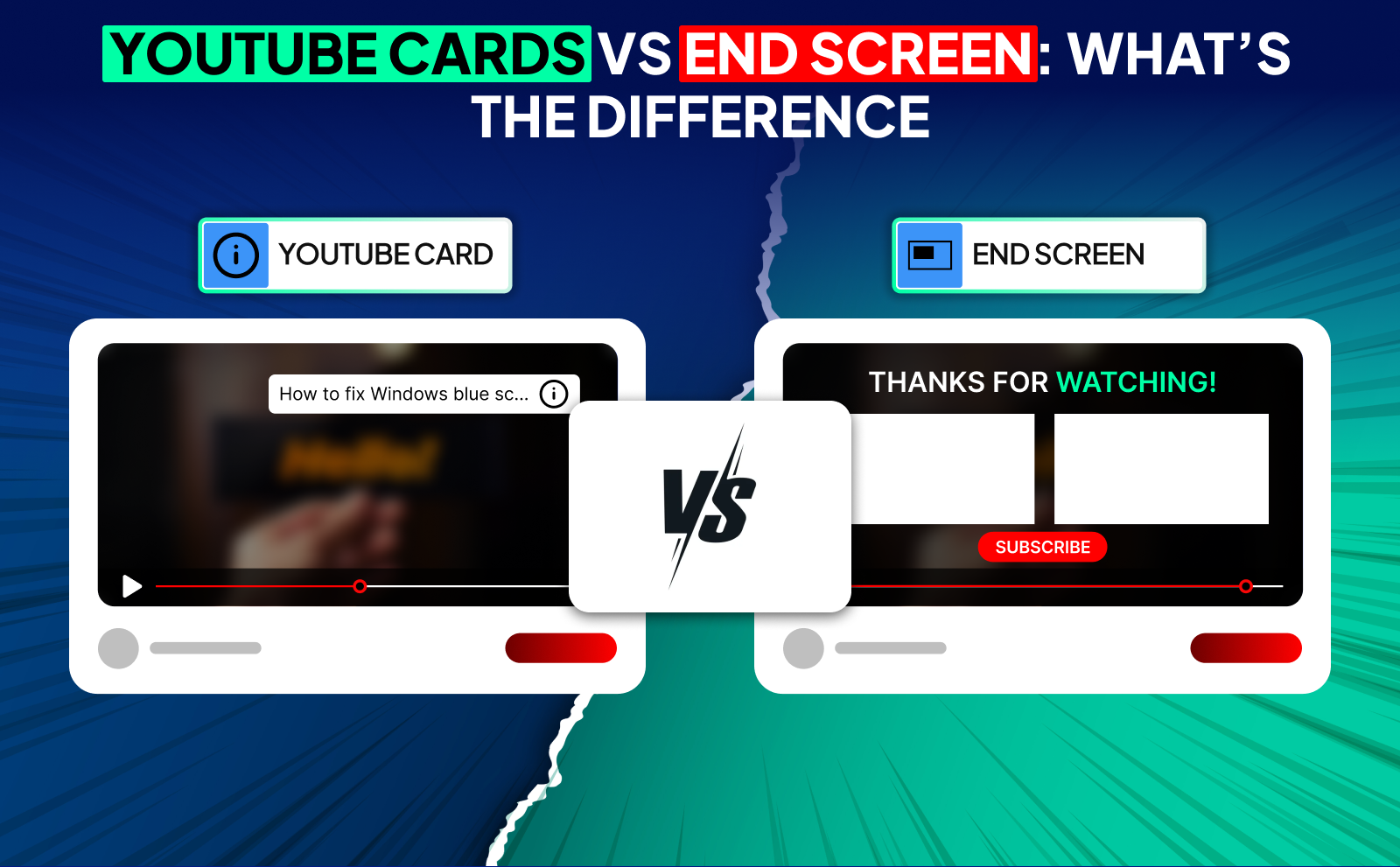
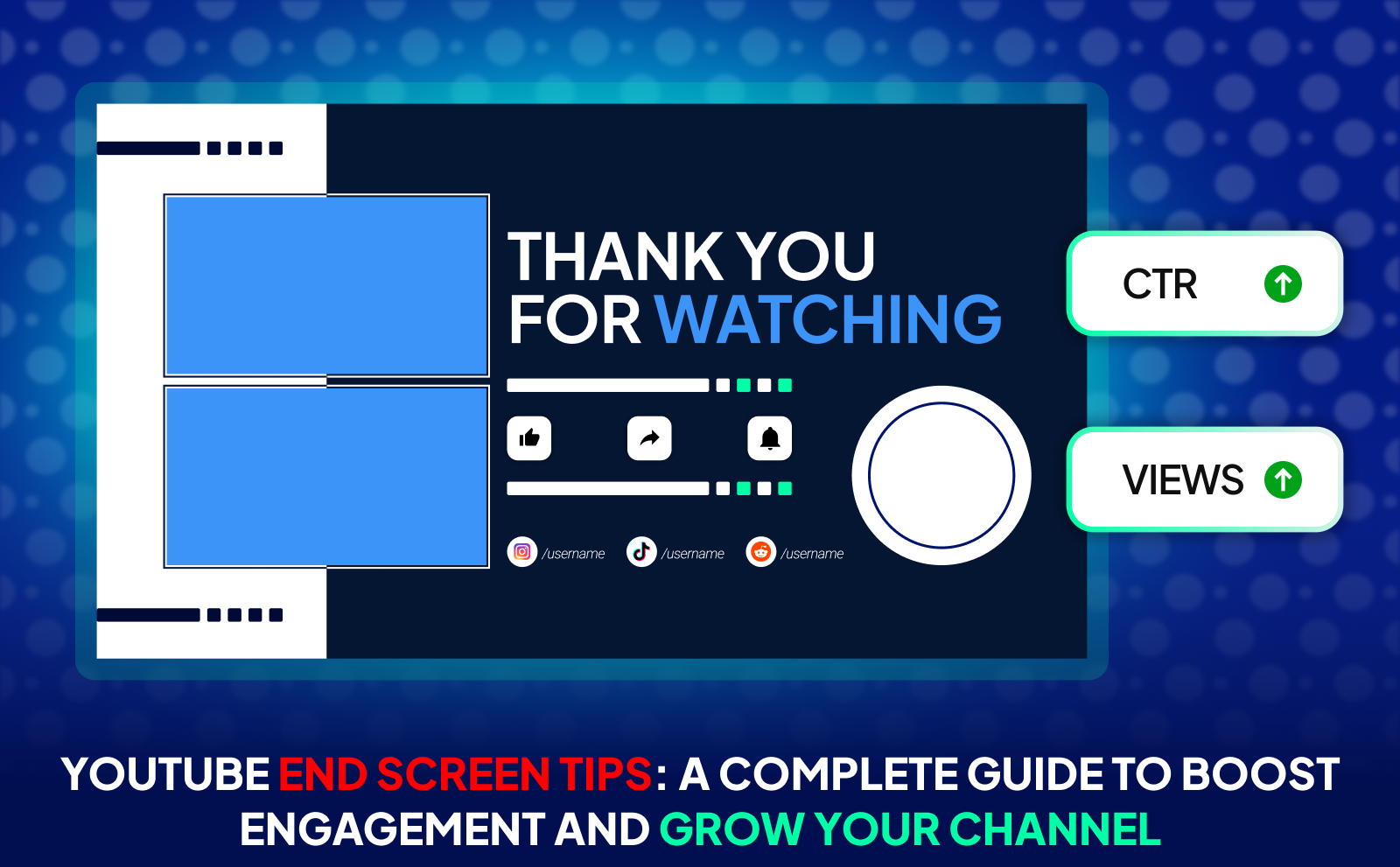
Cards are meant for the middle of the video, while end screens show up at the final 5–20 seconds. Cards are small, and show up in the top right corner as you’re talking. End screens take up a big section of the screen and only appear when your video is basically finished. So cards keep people watching during the video, and end screens guide people after the video is done.
Another difference is viewer behavior. Cards capture viewers in the moment when they’re hooked. End screens catch viewers who made it to the end, which is already a strong sign they're interested. Both tools have their place, but they’re used at different stages in the viewer journey, and knowing when to use each makes a huge difference in your channel’s performance.
How Cards And End Screens Work Together?

Cards help keep people from dropping off early, while end screens keep them watching after the video ends. If you use them together, you create a smooth path that leads viewers deeper into your content. Imagine someone clicks a card halfway through, then sticks around long enough to see your end screen. That’s a double win. more watch time and longer sessions.
When both tools are used right, they cover the two biggest moments: when viewers are most curious and when they’re most satisfied. Cards catch them during curiosity spikes. End screens catch them at the conclusion. Together, they reduce the chance that someone leaves your channel. Your job is to guide the viewer from the start of the video all the way into the next video.
When To Use Cards Instead Of End Screens?
Use cards when you want to redirect viewers before they lose interest. For example, if your analytics show people drop off at minute 4, that’s the perfect place to add a card leading them to another video. Cards work best when you’re trying to prevent drop-offs, answer a question you mention on screen, or connect videos that support each other.
End screens, on the other hand, are only effective if viewers actually make it that far. So if your video has a high drop-off rate toward the end, relying only on end screens means you're losing potential views. Cards allow you to take control of those critical moments where attention is fading, and they keep the viewer inside your content ecosystem.
Combining Both For Maximum Impact
When you use both cards and end screens strategically, your channel becomes a smooth “content loop” that keeps viewers bouncing from one video to the next. Cards act as small CTAs during the video, and end screens act as the final push. This combination increases watch time, boosts recommended traffic, and helps videos feed into each other like a chain.
For creators who want long-term growth, this combo is essential. It helps turn one view into multiple views. And that’s exactly what YouTube’s algorithm rewards. The longer you keep viewers in your universe, the faster your channel grows.
How To Add Cards To YouTube Video (step by step)?
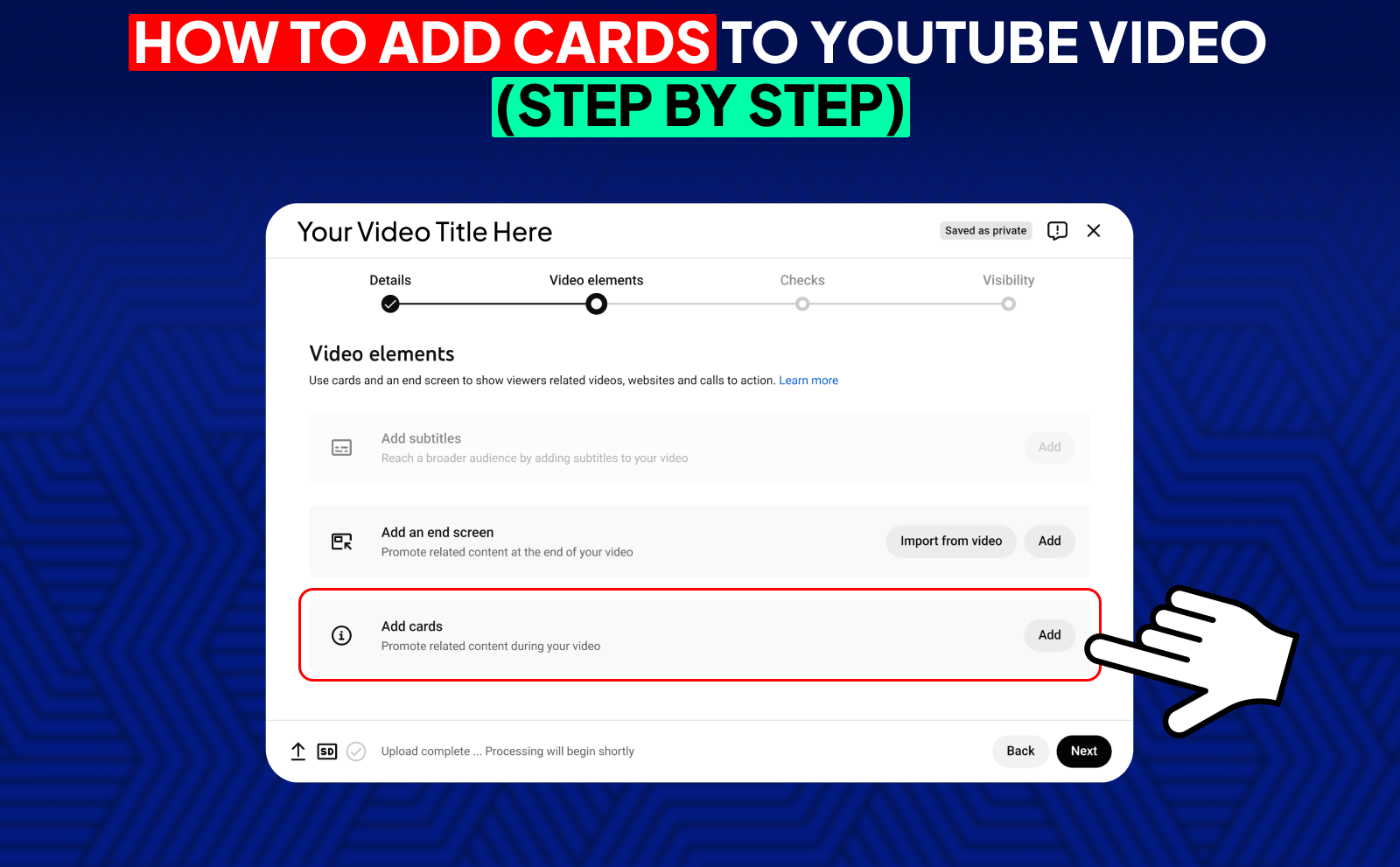
First, open YouTube Studio and go to the “Content” tab. Click on the video you want to edit, then look for the “Editor” option on the left side. Inside the editor, you’ll see a section labeled “Cards.” Click on it, choose the type of card you want to add, and select the exact moment in the video where you want it to appear. Then save your changes. It's that simple.
The important part is choosing the right timing. Cards should show up when they make sense, not randomly. If you mention a video or refer to a guide, place the card right there. You can preview the video inside the editor to land the timing perfectly. Once you're done, save again and check the card in the published video to make sure everything looks smooth.
Adding Cards To Existing Videos Through YouTube Studio
You can update old videos anytime without re-uploading them. Just go to YouTube Studio, choose an older video, and open the “Editor” tab. This is where you can add or remove cards, adjust the timing, or swap out recommendations. Updating old videos is a great way to revive content that’s still getting views but isn’t sending traffic anywhere.
A lot of creators forget that older videos can still work for them. If you have videos that bring in consistent views, adding fresh cards can guide new viewers to your latest content. It's one of the easiest ways to squeeze more value out of videos you made months, or even years ago.
Setting Up Cards While Uploading New Content
When you upload a new video, YouTube gives you the option to add cards before it goes live. This is perfect for planning everything in advance. Once you upload your file and start filling out details like the title and description, you’ll see a section for “Cards” in the upload flow. Click it, choose your card types, and drop them at the best moments.
Doing this during upload saves you time and helps your video perform better right from day one. Instead of going back later to fix things, you start strong with strategic card placements that guide viewers smoothly through your channel. It’s a small step, but it makes your content feel more polished and intentional.
Choosing The Right Card Type For Your Goals

The best card depends on what you want from your viewer. If you want more watch time, choose video or playlist cards. If you want to build relationships, push a channel card during a collab. If you're trying to sell something or get traffic off YouTube, use link cards. And if you need engagement, polls are the way to go.
The point is: every card has its own purpose. So before you add one, ask yourself, “What action do I want the viewer to take at this moment?” When your card matches your goal, your video performs way better. Random cards feel confusing, but intentional cards feel natural.
Best Practices For Using YouTube Channel Cards Effectively
Channel cards work best when you place them at moments where the other creator is mentioned or appears on screen. Viewers are naturally curious, so they’re more likely to click. Don’t drop a channel card out of nowhere. connect it to the context of the video so it feels like a natural extension of what the viewer is already watching.
They also work well when both creators promote each other. This creates mutual traffic, which can grow both channels. If you're doing a collaboration, plan your card placements in advance so both sides get the most benefit. When used smartly, channel cards can build strong relationships between creators and help both audiences grow together.
Timing Your Cards For Maximum Clicks

The timing of your card is more important than the card itself. If you place it too early, viewers ignore it. Too late, and they may already be dropping off. The best timing is when you say something that sparks curiosity! like referencing a related video or teasing them to watch a deeper explanation. That’s when viewers are most likely to click.
You can also use your audience retention graph to find drop-off points and place cards right before people leave. Think of it as giving viewers a “next step” as an alternative option instead of letting them exit. This one tweak alone can dramatically increase your watch time and keep viewers on your channel longer.
Creating Compelling Teaser Text And Custom Messages
The small text that appears with your card is called the teaser, and it's surprisingly powerful. Instead of using something basic like “Watch this,” make it interesting. Use curiosity, benefits, or a small hook like “The guide I mentioned earlier” or “This makes more sense after watching this.” The teaser text helps viewers understand why they should click.
Try to keep the message short and clear. You only have a few words, so make them count. Think of it like writing a mini headline. Good teaser text increases clicks, while boring text makes the card easy to ignore. It’s a tiny detail that makes a big difference.
Using Verbal Cues To Draw Attention To Cards
Sometimes viewers miss the pop-up because they’re focused on the video. This is where verbal cues help. A simple line like, “If you want more details, I’ll leave a card on the screen right now,” Viewers look up and follow your direction naturally.
These cues don’t need to be dramatic or scripted. Just mention the card when it appears. This makes your video feel more interactive and increases the chance that viewers will actually click. It’s one of the easiest tricks to increase card performance.
Placing Cards At Viewer Drop Off Points
Your audience retention graph shows exactly where viewers start leaving. Placing a card right before those moments is a strategic way to catch them. Instead of letting them exit your video or the app entirely, you redirect them to something more relevant, keeping them in your ecosystem.
This is one of the smartest ways to use cards because you’re turning potential losses into extra watch time. Over time, this approach keeps viewers on your channel longer, boosts your session time, and makes YouTube recommend your content more often.
Advanced Strategies For YouTube In Video Info Cards

One advanced strategy is to use cards to push videos with high SEO potential. If you have a few videos that rank well or bring in search traffic, use cards to send viewers from those videos to newer content. This turns search traffic into long-term viewers, giving your newer uploads more strength.
Another smart move is creating “content journeys.” Use cards to connect videos in a logical path so viewers follow a natural story or tutorial flow. This keeps people watching for long periods and makes your channel feel like a complete library of helpful content instead of random uploads.
Promoting Videos With High SEO Potential
If you have videos that rank well in search, they’re probably bringing in viewers every day. Adding cards to these videos can push that traffic toward your newer or more valuable content. It’s like tapping into a never-ending stream of viewers and sending them deeper into your channel.
This strategy helps your newer videos get more views without relying only on the algorithm. It also makes your older videos work harder for you. Instead of just sitting there, they become traffic machines that support your YouTube channel growth.
Using Cards To Increase Watch Time And Retention
Cards can help keep viewers engaged by giving them related videos that continue the story or topic. When viewers click a card and keep watching, YouTube sees this as a strong signal that your content is valuable. This improves your ranking in recommended videos.
The key is linking videos that make sense together. If your card leads to something totally unrelated, viewers won’t click. But if the next video solves the next question they have, they’ll gladly keep watching. It’s all about creating a natural flow of curiosity.
Leveraging Cards For External Traffic And Conversions
Once your channel is eligible, link cards can send viewers to your website, merch, or landing pages. These are perfect for creators who want to sell digital products, offer services, or build an email list. Since the card appears right when you’re talking about the offer, the click-through rate is usually higher than a normal link in the description.
This turns your video into a mini marketing funnel. You’re not being pushy. you’re simply giving viewers an easy path to something they're already interested in. Over time, this can increase your revenue and build a stronger audience outside of YouTube.
Building Playlists And Content Journeys With Cards
Cards can help guide viewers from one video to the next in a planned order. If you have tutorials, series, or connected videos, this is the perfect way to build a “content journey.” It keeps viewers inside your playlist longer and increases your total watch time.
This strategy also makes your channel feel more organized. Instead of viewers watching random videos, they’re moving through a structured path you designed. That’s how you turn casual viewers into dedicated fans who watch everything you upload.
Tracking And Optimizing Your YouTube Cards Performance
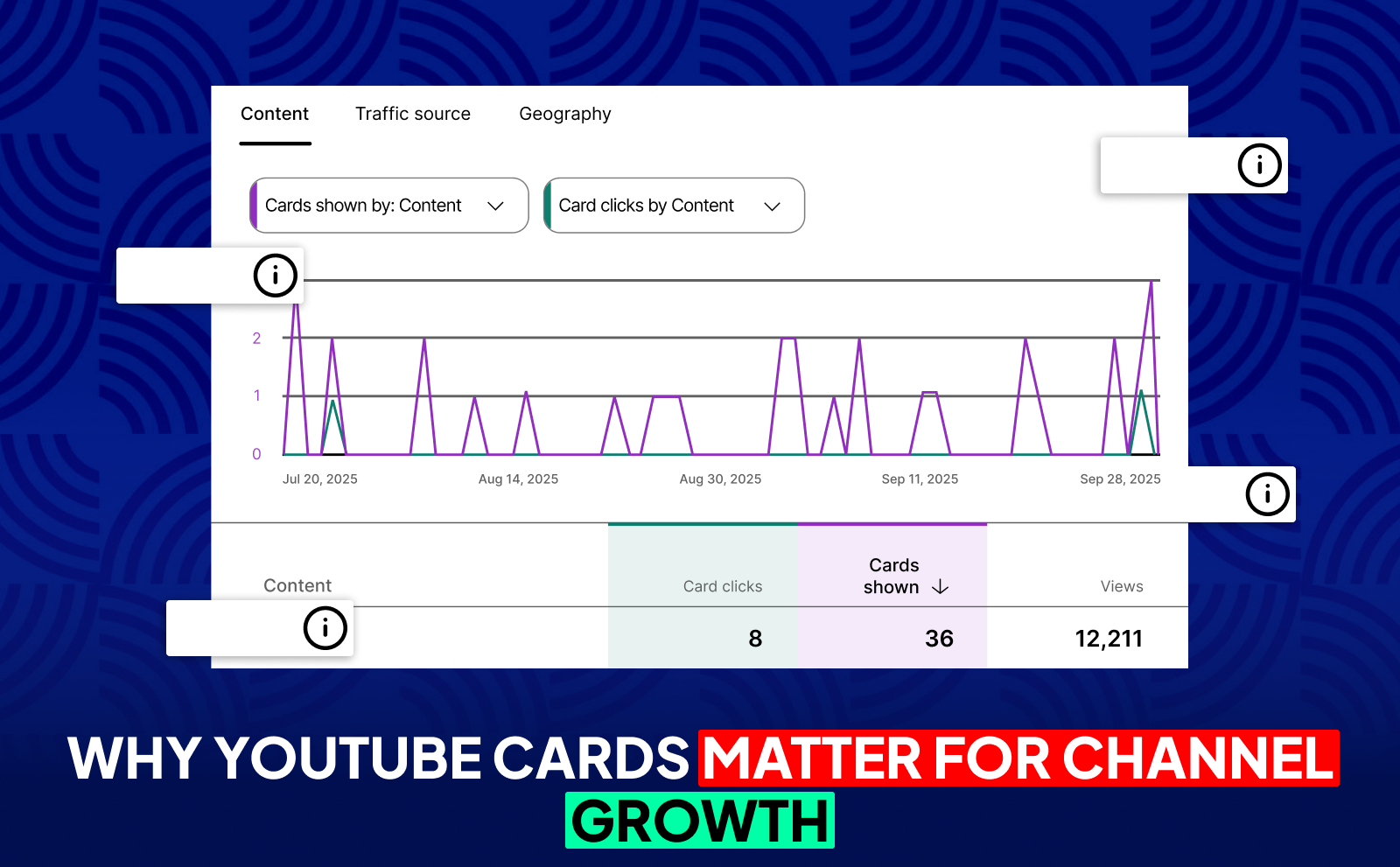
YouTube Studio gives you analytics that show how your cards are performing. You can see how many people saw the card, how many clicked, and where in the video it happened. This lets you test different timings and find what works best for your audience.
Once you start checking these metrics regularly, you’ll notice patterns. Maybe cards work better at the 30% mark of your videos, or maybe they perform better when you use a certain type of teaser text. This data lets you constantly improve your strategy instead of guessing.
Understanding Card Analytics And Metrics
Card analytics show impressions, clicks, and click-through rates. Impressions tell you how many times the card appeared. Clicks tell you how many people took action. And the click-through rate (CTR) shows how effective the card was at getting attention. All three matter because they help you understand what parts of your video interest viewers the most.
These metrics also help you see whether your timing and card type are working. If your CTR is low, maybe your teaser text is weak. If impressions are low, the card might be appearing too late. Understanding these numbers makes optimization much easier.
Testing Different Card Placements And Messages
Testing is one of the best ways to get better results. Try adding a card earlier, then compare the analytics. Try changing the teaser text, then compare again. Over time, you’ll discover what your audience responds to. Every channel is different, so testing is very important.
Don’t be afraid to experiment. Cards are easy to edit, remove, or reposition. A small tweak can lead to a big jump in watch time and clicks. Testing helps you build a card strategy that actually fits your style and your audience.
Common Mistakes To Avoid When Adding Cards To YouTube Videos
One common mistake is placing too many cards too close together. This overwhelms viewers and makes your video feel cluttered. Another mistake is adding cards that have nothing to do with what you're talking about on screen. Viewers won’t click if the suggestion feels random.
Another issue is ignoring analytics. If you’re adding cards but never checking performance, you’re missing out on easy improvements. And finally, avoid placing cards at the very beginning of your video. viewers are still getting settled and aren’t ready to click anything yet. Keep it simple, strategic, and focused.
Conclusion
At the end of the day, YouTube cards are just a small tool that makes a big difference. They keep people watching, help you guide viewers to the right videos, and make your content feel way more organized without you doing extra work.
And the better you optimize YouTube videos, the more your cards actually work for you instead of just sitting there. Because at the end of the day, increasing your YouTube watch hours comes down to guiding viewers smoothly. and cards help you stack those wins without making things complicated.
Frequently Asked Questions
What Are Info Cards On YouTube?
Small clickable pop-ups that guide viewers to videos, playlists, channels, polls, or external links without interrupting the video.
How Many Cards Can I Add To A Single YouTube Video?
You can add up to five cards per video, no matter the card type.
Do YouTube Cards Work On Mobile Devices?
Yes, cards work perfectly on mobile. which matters because most viewers watch on their phones.
Can I Add External Links Using YouTube Cards?
Yes, but only if you're in the YouTube Partner Program or linking to an approved website.
What’s The Difference Between YouTube Cards And End Screens?
Cards appear during the video to guide viewers, while end screens show up in the last few seconds to push your next content.
When Is The Best Time To Show Cards In A Video?
Show them during curiosity peaks or right before drop-off moments so viewers stay inside your content.
Do YouTube Cards Really Help To Grow My Channel?
Absolutely. They increase watch time, keep viewers engaged, and help YouTube recommend your videos more.
Can I Customize The Appearance Of My YouTube Cards?
You can’t fully customize them, but you can control the teaser text and the content they link to.
How Do I Track The Performance Of My Cards On YouTube?
Use YouTube Studio analytics to check impressions, clicks, and click-through rates for every card.
Do I Need To Be In The YouTube Partner Program To Use Link Cards?
Yes. Link cards for external websites require YPP access or an approved domain.